Approval required when using Microsoft with Calendly
- Verfügbar für:
- Alle BenutzerRollen bestimmen, welche Konto- und Teameinstellungen eine Person verwalten kann. Ihre Rolle kann je nach Organisation, Team oder Gruppe variieren.
- Pläne:
- Free, Essentials, Professional, Standard, Teams mit SSO-Add-on, and EnterpriseDer Zugriff auf Funktionen kann je nach Plan, Erstellungszeitpunkt Ihres Kontos und Add-ons variieren.
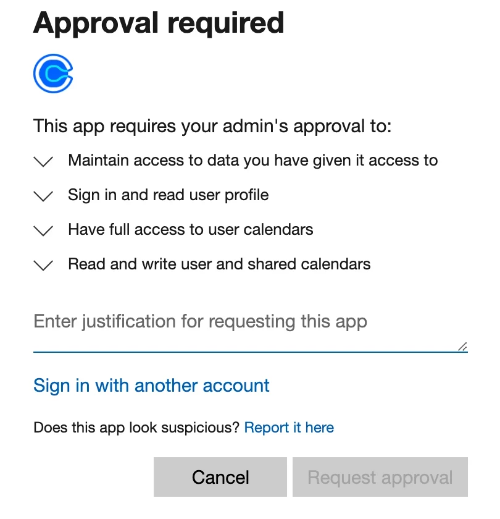
If you see an Approval required message when using Microsoft with Calendly, your organization requires a Microsoft admin to approve certain apps before they can be used.
You may see this message when you:
- Sign up or log in with Microsoft
- Connect your Outlook calendar
Why am I seeing this message?
Some organizations use Microsoft security policies that require an admin to approve third-party apps like Calendly. If your organization has these policies in place, Microsoft displays the Approval required message before allowing Calendly to access your Microsoft account.
Because this requirement is controlled by Microsoft, Calendly can't bypass it.
How do I get approval?
I'm not a Microsoft admin
Contact your Microsoft admin and ask them to approve Calendly for your organization. If the Approval required message includes a Request approval option, you can also submit a request there.
I'm a Microsoft admin
Review and approve Calendly in Microsoft Entra.
For more information, see these Microsoft articles: